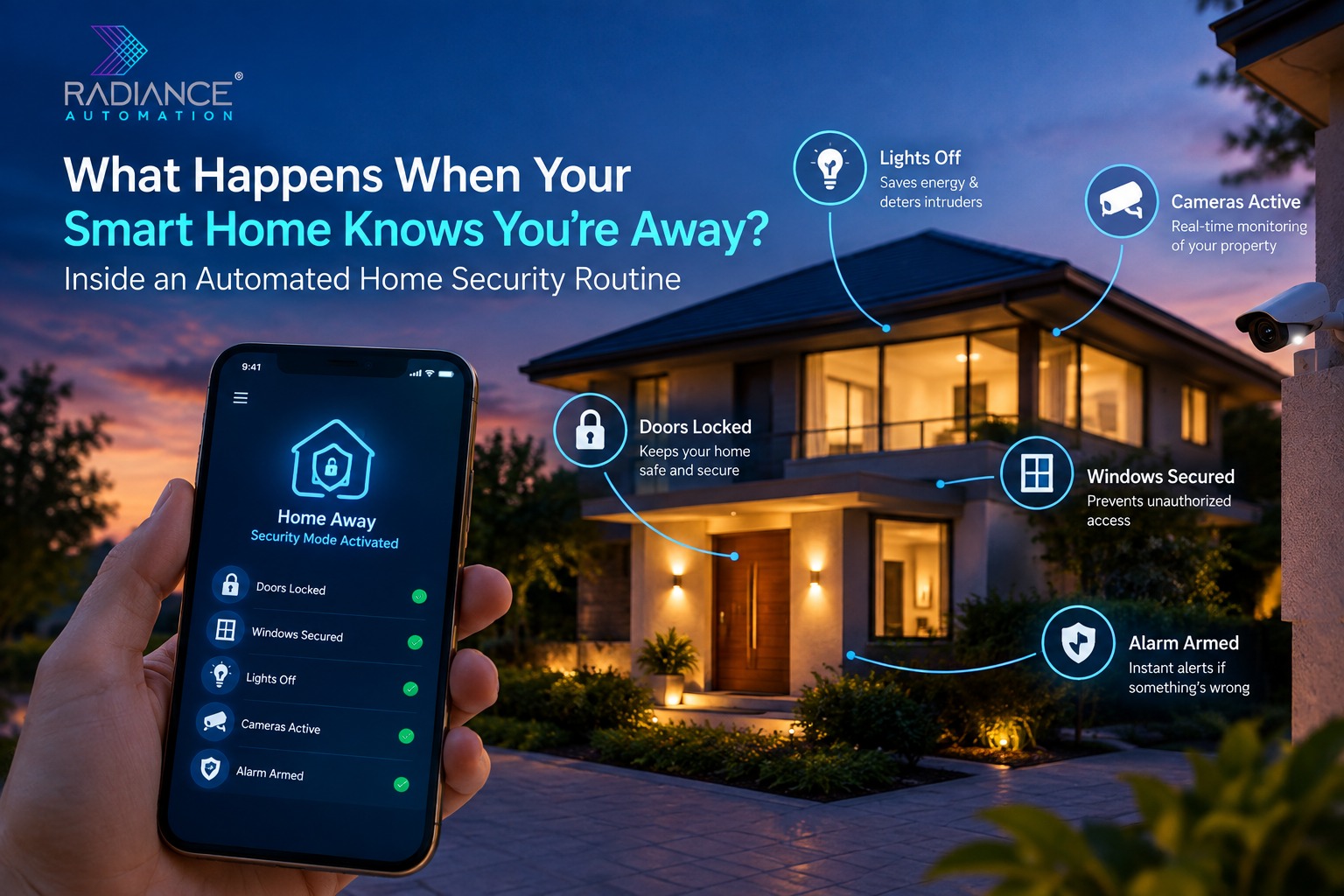
Consider being able to step out of your house on a weekend getaway without having to wonder whether you turned the lights off, locked all your doors, and set your alarm. The moment you step out, your home system takes care of itself and ensures everything is set for your absence.
This is what automated home security systems can provide. Using smart locks, sensors, lighting, cameras, and other home devices, one is able to set up an automation system that works according to their needs and schedule.
For people exploring intelligent living solutions, working with a Home Automation Company in Chennai can help turn separate security devices into a coordinated system. Instead of managing every component individually, homeowners can configure routines that activate selected functions when they leave their property.
The Moment Your Home Switches to Away ModeAutomated security routines start with a trigger. This could be an event such as the owner selecting the “away” mode from an app, making a command on the smart control panel, or triggering an automation enabled by compatible devices. When the trigger is detected, then the system proceeds to perform certain predefined actions.
For instance, the homeowner can program the security routine to switch off selected lights, secure doors through locking, control air conditioning, and use sensors for security purposes.
Mobile Location-Based AutomationCertain smart home systems offer geofencing functionality that leverages the location of a smartphone to initiate preselected activities upon entering or exiting a designated geographical location. An example of this is setting an away mode to activate only if a person’s smartphone goes outside a chosen boundary of the house.
Nonetheless, location-driven automation suffers from a number of weaknesses. Factors such as the precision of GPS, phone settings, connectivity, and location permissions may prevent the desired trigger from being initiated. Moreover, the fact that a phone has left the house doesn’t imply that all people have left the premises.
Door and Motion Sensor InformationConnected door contact sensors and motion detectors can be used as an additional source of information about movements within the premises. The system could rely on the door open event, the change in the occupancy status or the combination of selected sensors’ signals for the sake of automation.
Nevertheless, motion detectors do not necessarily register all occupants, as an individual who remains seated, asleep or out of the motion detector’s range will not cause any new motion events. This is why occupancy detection should be regarded as another piece of information rather than an infallible way to determine that the building is unoccupied.
Inside an Automated Security Routine: What Happens First?Once an away routine starts, the home can perform several actions in a planned sequence. The order matters because certain security functions may need to be checked before other devices change their operating state.
Step 1: Entry Points Are Checked and SecuredThe system may also verify the status of the compatible smart locks and door sensors. If required, the compatible smart locks will get locked automatically once the away mode has been set up. The door contacts may also notify the system about the state of open/close of the monitored doors.
In case of any door being left open, the system may send a notification instead of trying to perform an incorrect locking process. It would help the residents to understand a potential problem even if they are far away from their property. Nevertheless, it would be inappropriate to consider the smart lock as a solution for every door.
Step 2: Security Sensors Enter Their Selected ModeAfter the appropriate conditions are met, compatible security sensors can be placed into an away configuration.
Depending on the installation, this may include selected door contacts, motion detectors, glass-break sensors, or other supported equipment.
If an activated sensor detects an event that matches the system's configured rules, the homeowner may receive an alert.
Some installations can also connect with a professionally monitored security service, subject to the provider's arrangements.
The specific response should be defined in advance. A sensor alert is not the same as emergency assistance, and homeowners should understand who receives notifications and what action follows.
Step 3: Lighting Changes to Match the Home's AbsenceAn empty house with every light switched off can look different from a property where selected lights operate according to a planned schedule.
Smart lighting can support configurable routines that switch designated fixtures on or off at particular times.
For example, a living-room light might operate during an evening period, while exterior lighting follows a separate schedule.
This can make lighting management more convenient and help maintain visibility around selected areas.
However, automated lighting should not be treated as a guarantee that a property is occupied or as a replacement for physical security measures.
How Smart Home Automation in Chennai Can Support Everyday SecurityHomeowners in Chennai may have different security needs depending on whether they live in an independent house, a gated community, or an apartment building. An independent property might require attention to multiple entrances, outdoor lighting, and boundary areas. Apartment residents may focus more on their main entrance, selected indoor sensors, and coordination with building-level security arrangements.
A homeowner in an independent house might also incorporate supported outdoor lighting and additional entry-point monitoring. When exploring Automation Companies in Chennai, homeowners can evaluate whether the proposed system supports their property layout, preferred devices, network conditions, and everyday routines.
Choosing an Automation Partner for Your Security RoutinePlanning an automated security system requires more than selecting smart locks and cameras from a product catalogue. The installation team should understand the property's layout, entry points, existing electrical arrangements, connectivity, and household requirements.
A professional assessment can help identify which functions can be automated, which devices are compatible, and where manual confirmation remains appropriate. A Home Automation Company in Chennai can help homeowners explore suitable connected controls and plan how security functions should work together.
ConclusionWhen a smart home detects that its occupants are away, it can begin a carefully configured sequence of actions designed to support security and convenience.
Connected locks can help secure monitored entrances, sensors can report selected events, lighting can follow planned schedules, and compatible cameras can provide remote visibility.
However, these capabilities depend on suitable equipment, reliable configuration, and an understanding of the system's limitations.
For Chennai homeowners considering connected security, the right automation setup should reflect the property's design, the household's daily habits, and the level of control residents want to maintain.